If you have spent any time browsing Minecraft Bedrock resource packs recently, chances are you have come across Actions and Stuff. It is one of the most talked-about animation and texture packs on the Minecraft Marketplace right now, sitting at a strong rating from hundreds of thousands of players. But what exactly does it do, is it safe, and how do you actually get it running on your device without wasting an hour on trial and error?
This guide covers everything in one place: what Actions and Stuff is, every feature it adds, how to download and install it on Android, iOS, PC, Xbox, PlayStation, and Switch, which resolution to pick for your device, and how to fix the most common problems players run into. By the end, you will know exactly whether this pack is right for you and how to get it working in the next few minutes.
What Is Actions and Stuff in Minecraft?
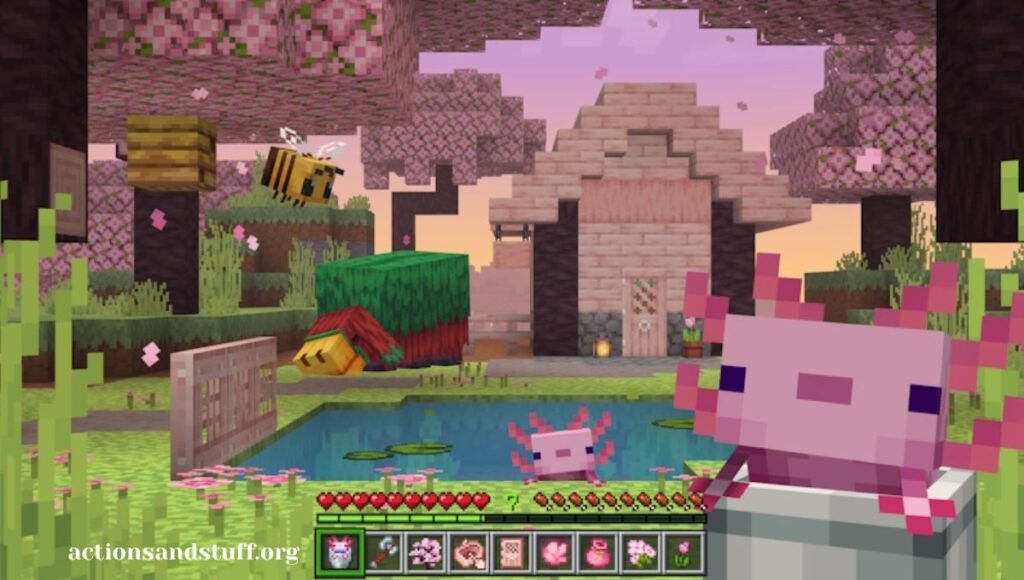
Actions and Stuff is a resource pack built for Minecraft Bedrock Edition. Unlike a mod, it does not touch game mechanics, crafting recipes, world generation, or achievements. It works entirely through Minecraft’s built-in resource pack system, which means it only changes how the game looks and animates — nothing about how it plays.
At its core, the pack replaces dozens of the game’s default animations with smoother, more weighted motion. Walking, running, swimming, mining, and combat all feel noticeably more alive. Mobs get upgraded behavior too, with more expressive movement and reactions. On top of the animation overhaul, the pack adds sharper textures, richer particle effects, and small environmental touches like swaying grass and more natural water movement.
Because it is a resource pack and not a behavior pack or mod, it is considered one of the safest ways to upgrade Minecraft’s visuals. It runs client-side, so it does not require server permissions, and it does not put your saved worlds or progress at risk.
| Detail | Information |
| Pack Type | Resource Pack (visual only) |
| Platform | Minecraft Bedrock Edition |
| Affects Achievements | No |
| Affects Gameplay Mechanics | No |
| Works Offline | Yes, after installation |
| Works on Realms/Servers | Yes (client-side) |
| Java Edition Support | Not compatible |
Why This Pack Has Become So Popular
There are hundreds of texture and animation packs on the Marketplace, so it is fair to ask why Actions and Stuff stands out. A few reasons come up again and again in player reviews and community discussions:
- Noticeable difference without being overwhelming. The changes are dramatic enough to notice immediately, but they still keep Minecraft’s original art style intact rather than replacing it with something unrecognizable.
- Performance flexibility. Because the pack ships in multiple resolutions, it runs on budget phones almost as well as it does on high-end PCs, which is rare for animation-heavy packs.
- No mechanical risk. Players who are cautious about mods appreciate that this is a pure visual pack, so there is no fear of corrupted saves or broken achievements.
- Regular updates. The pack has continued receiving updates that fix bugs, add seasonal skins, and improve compatibility with newer Minecraft versions.
Key Features of Actions and Stuff
1. Overhauled Player and Mob Animations
This is the headline feature. Dozens of default animations are replaced across player movement, combat, and mob behavior. Walking and sprinting have added weight and momentum, jumping feels less stiff, and swimming looks far more natural than vanilla Minecraft’s default motion. Mobs also benefit — animals move with more personality, and hostile mobs like Creepers and the Wither get more menacing, fluid animations during encounters.
2. Upgraded Texture Detail
Alongside animation work, the pack sharpens textures across blocks, tools, and gear. Stone looks more defined, grass has extra texture depth, and enhanced edge detailing makes iron, gold, and diamond equipment stand out more clearly against the rest of the inventory.
3. Real-Time Particle Effects
Mining, fighting, and weather all trigger extra particle detail. Sparks fly when you strike blocks, small particles drift through the air during exploration, and rain and storms get subtle visual enhancements that make weather feel more dynamic.
4. 3D Tool and Item Models
Rather than flat, blocky tool textures, the pack introduces 3D-style models for weapons and tools, giving swords, axes, and pickaxes a more modern, stylized look while keeping them easily recognizable.
5. Adjustable Visual Settings
Not every device can handle full-detail animations and effects smoothly. The pack includes adjustable resolution options so players can dial performance up or down depending on their hardware, without losing any of the actual features — only texture sharpness changes between settings.
6. Environmental Life
Small touches add up here: swaying trees, more natural-looking water, and villagers with improved idle behavior all contribute to a world that feels less static than vanilla Minecraft.
Actions and Stuff: Download Options by Platform
Getting the pack running depends heavily on which platform you are using. Here is a breakdown of what to expect on each one.
| Platform | Method | Typical Price | Notes |
| Android | APK or MCPACK | Free | Fastest route, no purchase required |
| Windows PC | MCPACK | Free | Double-click import into Minecraft |
| iOS (iPhone/iPad) | Marketplace only | Paid (Minecoins) | Apple blocks external file installs |
| Xbox One / Series | Marketplace only | Paid (Minecoins) | Included with Marketplace Pass subscriptions |
| PlayStation 4/5 | Marketplace only | Paid (Minecoins) | Same as Xbox, Marketplace required |
| Nintendo Switch | Marketplace only | Paid (Minecoins) | Partial feature support due to console limits |
| Java Edition | Not supported | — | Use Java-compatible animation mods instead |
Android and MCPE
Android is the most flexible platform for this pack. Players can either sideload the APK (which comes with Minecraft and the pack bundled) or import the standalone MCPACK file directly into an existing Minecraft installation. Both methods are free and typically take under two minutes from download to playing.
Windows PC
On PC, the MCPACK format is the standard route. Double-clicking the file should automatically open Minecraft and begin the import process. If the double-click method does not trigger an import, right-clicking and selecting “Open With Minecraft” usually resolves it.
iOS, Xbox, PlayStation, and Switch
Apple and console platforms restrict external file installs for security reasons, so the only official way to get the pack on these devices is through the in-game Marketplace. This requires purchasing with Minecoins, though the cost is often waived if you already subscribe to a Minecraft Marketplace Pass.
Java Edition
Actions and Stuff was built specifically for Bedrock Edition and is not available for Java. Java players looking for a similar animation overhaul typically turn to community mods like Fresh Animations, which serve a comparable purpose on that version of the game.
Step-by-Step Installation Guide
Regardless of platform, the general installation flow follows the same four stages.
Step 1: Download the correct file for your platform. Android and PC users can grab the APK or MCPACK file directly; iOS and console users need to go through the Marketplace inside Minecraft itself.
Step 2: Install the file.
- For APK on Android, you may need to enable “Install Unknown Apps” for your browser or file manager under Android’s security settings before the installer will run.
- For MCPACK on Android or PC, simply opening the file should trigger Minecraft to import it automatically.
- For Marketplace platforms, search for the pack by name inside Minecraft, confirm the purchase, and let it download.
Step 3: Activate the pack. Open Minecraft, go to Settings, then Global Resources. You should see the pack under “Available” — tap or click it to move it into the “Active” list. This step is where most installation problems actually happen, since a downloaded pack does nothing until it is manually activated here.
Step 4: Choose your resolution and load a world. Once active, tap the gear icon next to the pack to pick a resolution suited to your device (see the table below), then load any existing or new world to see the changes take effect.
Choosing the Right Resolution for Your Device
One detail that trips up a lot of players is assuming a higher resolution automatically means a better experience. In reality, resolution only affects texture sharpness — every animation, particle effect, and mob behavior change is included at every resolution level.
| Resolution | Best For | Recommended RAM | Typical Device Age |
| 16x | Budget or older phones | 2 GB or less | Devices from around 2017–2018 |
| 32x | Most Android phones and average PCs | 3–4 GB | Devices from roughly 2019–2022 |
| 64x | Flagship phones and gaming PCs | 6 GB or more | Devices from 2022 onward |
If you are not sure where you stand, start at 32x. It is the safest middle ground for most modern devices. If you notice frame drops or stutter, step down to 16x. If everything runs smoothly and you want sharper detail, move up to 64x — you can change this setting at any time without reinstalling anything.
Common Problems and How to Fix Them
The pack is installed but nothing looks different
This almost always means the pack was downloaded but never activated. Go to Settings > Global Resources and confirm it is listed under Active, not just Available. If another animation-style pack is sitting above it in the list, that pack may be overriding it — move Actions and Stuff to the top of the active list.
The MCPACK file will not import
Try long-pressing (or right-clicking on PC) the file and selecting “Open With Minecraft” manually. If Minecraft does not appear as an option, make sure the game itself is fully updated through the Play Store or Microsoft Store before trying again.
Android blocks the installation
This usually means “Install Unknown Apps” is disabled for whichever app you used to download the file. Head to Settings > Apps > Special Access > Install Unknown Apps, find your browser, and toggle it on. Then return to your downloads and try installing again.
The game crashes after activating the pack
This is typically a memory issue rather than a corrupted file. Lower the resolution to 16x through the pack’s settings — this alone resolves the vast majority of crash reports on lower-RAM devices.
The pack disappeared after a Minecraft update
Game updates occasionally reset the active resource pack list. Nothing is actually lost — go back into Settings > Global Resources and move the pack back into the Active column.
Noticeable lag or frame drops during gameplay
Start by dropping to the 16x resolution setting. If that is not enough, reduce render distance to around 8 chunks in your video settings, and turn off extras like Fancy Leaves or Beautiful Skies. Closing background apps before launching Minecraft also helps on most phones.
Is Actions and Stuff Safe to Use?
This is a fair concern given how many unofficial Minecraft add-ons exist. A few points are worth knowing:
- It is a resource pack, not a mod or behavior pack, meaning it cannot alter game files that affect saves, crafting, or achievements.
- The safest way to get it is either directly through the official Minecraft Marketplace, or through the developer’s verified distribution channel for the free APK/MCPACK versions.
- Because unofficial mirrors of popular packs do circulate online, it is worth double-checking file sources before installing, and running a security scan on any APK before opening it, just as you would with any Android application.
Does It Affect Achievements or Multiplayer?
No. Since the pack only changes visual files, achievements, crafting recipes, and survival progression all remain completely untouched. You can use it in a full survival world and unlock everything normally.
For multiplayer, the pack is client-side, meaning only you see the visual changes — other players do not need it installed for you to see your own upgraded animations and effects. It works fine on community servers like The Hive, CubeCraft, and Lifeboat without any special configuration, and on Realms, the world owner can enable it so it automatically applies to all members who join.
Can You Combine It With Other Packs?
Yes, with one important caveat. Combining Actions and Stuff with texture-only packs, skin packs, or sound packs generally works without conflict. The one combination to avoid is stacking it with another full animation pack, since two packs modifying the same animation files will conflict and often break both. If you do run multiple packs, keep Actions and Stuff at the top of your active resource pack list so its animation files take priority.
Pros and Cons Summary
Pros:
- Significant visual upgrade without altering core gameplay
- Multiple resolution options for different device capabilities
- Safe for achievements, survival progress, and multiplayer
- Works offline once installed
- Regularly updated with bug fixes and small feature additions
Cons:
- iOS and console users must pay through the Marketplace
- Not available for Java Edition
- Higher resolutions demand more RAM and may not suit older devices
- Cannot be combined with other animation packs
Actions and Stuff vs Other Animation Packs
If you have shopped around the Marketplace before, you have probably seen other animation-focused packs claiming similar upgrades. Here is how Actions and Stuff generally compares on the factors players care about most.
| Factor | Actions and Stuff | Typical Animation-Only Packs |
| Platform support | Full Bedrock support across mobile, PC, and console | Often mobile or PC only |
| Resolution options | Three tiers (16x, 32x, 64x) | Usually one fixed resolution |
| Particle effects | Included as a core feature | Often sold as a separate add-on |
| Update frequency | Regular, with seasonal extras | Varies widely by developer |
| Achievement safety | Fully safe | Depends on pack type |
The biggest advantage most players point to is flexibility. A lot of animation packs are built around a single target device tier, which means low-end phones either cannot run them well or high-end devices do not get to use the pack’s full potential. Shipping three resolution tiers under one pack solves both problems at once, which is a big part of why this particular pack keeps showing up in “best Minecraft resource pack” recommendation lists.
How Often Is Actions and Stuff Updated?
Active development is one of the more reassuring signs for any Minecraft add-on, since abandoned packs tend to break after a game update or two. Actions and Stuff has continued to receive updates that generally fall into three categories:
- Compatibility patches that keep the pack working correctly after new Minecraft Bedrock releases change internal animation or rendering systems.
- Bug fixes addressing smaller issues like texture glitches, animation stutter on specific mobs, or minor performance regressions reported by the community.
- Seasonal or bonus content, such as limited-time skins and props tied to events like Halloween, which get folded into the main pack rather than requiring a separate download.
If you already have the pack installed and a new version becomes available, the update process is straightforward: deactivate the current version in Global Resources, install the newer file, and reactivate it. Your worlds, inventory, and progress are never affected by this process since the update only replaces visual files.
Tips to Get the Best Experience
A few small adjustments can make a noticeable difference in how smooth and polished the pack feels once it is running:
- Match resolution to your device honestly. It is tempting to jump straight to 64x for the sharpest textures, but if your device cannot sustain it, you will spend more time fighting stutter than enjoying the visuals. Start conservative and scale up only if performance allows.
- Keep the pack at the top of your active list. If you run other texture or sound packs alongside it, make sure Actions and Stuff sits above them in Global Resources so its animation files are not silently overridden.
- Pair it with matching shaders carefully. Some shader packs can enhance the look of Actions and Stuff further, but very demanding shaders combined with the 64x resolution can push lower-end and even some mid-range devices past their limits. Test shader combinations at a lower resolution first.
- Restart Minecraft after major updates. If animations look inconsistent right after a game or pack update, a full restart of the app (not just reloading the world) usually clears up any leftover caching issues.
- Check the changelog before updating. Since new versions occasionally introduce new resolution options or reworked features, a quick look at what changed helps you decide whether it is worth updating right away or waiting.
Frequently Asked Questions
Is Actions and Stuff free? On Android and PC, the APK and MCPACK versions are typically available for free. On iOS, Xbox, PlayStation, and Switch, the pack must be purchased through the Minecraft Marketplace using Minecoins, though it may be included at no extra cost if you already have a Marketplace Pass subscription.
Does it work without an internet connection? Yes. Once the pack is downloaded and activated, it runs entirely offline across single-player, local multiplayer, and LAN worlds. An internet connection is only needed for the initial download and for online server or Realms play.
Will it disable my achievements? No. As a pure resource pack, it does not touch crafting, world generation, or achievement systems in any way.
Can I use it on Minecraft Realms? Yes. It works as a client-side pack, and Realm owners can enable it through Realm settings so it is automatically shared with everyone who joins.
What is the difference between the 16x, 32x, and 64x versions? All three include the exact same animations, mob behaviors, and particle effects. The only difference is texture sharpness, with higher resolutions requiring more device RAM to run smoothly.
Why does double-clicking the MCPACK file do nothing on PC? This usually means Windows is not associating the file type with Minecraft. Right-click the file, choose “Open With,” and select Minecraft manually. If Minecraft is not listed, confirm it is fully installed and updated through the Microsoft Store first.
Is it available for Java Edition? No. Actions and Stuff is built exclusively for Bedrock Edition. Java players looking for something similar typically use community animation mods designed for that version instead.
Can I switch resolutions after installing? Yes, at any time. Go back into Settings > Global Resources, tap the gear icon next to the pack, and select a different resolution. No reinstallation is required.
conclusion
Actions and Stuff has earned its popularity by doing something a lot of Minecraft packs try and fail to do: making the game feel noticeably more alive without breaking its core identity or risking your saved progress. Whether you are on a budget Android phone or a high-end gaming PC, there is a resolution setting that fits your hardware, and the installation process — while it has a few platform-specific quirks — takes most players well under five minutes once they know where to look.
If you have been on the fence about trying it, the safest path is simple: grab the free APK or MCPACK if you are on Android or PC, or check the Marketplace price if you are on iOS or console, activate it under Global Resources, and load up a world to see the difference for yourself.