If you have spent any time in Minecraft Bedrock communities over the past year, you have almost certainly seen players talking about Actions and Stuff. It is one of the most talked-about resource packs on the Minecraft Marketplace, and for good reason — it takes the stiff, robotic movement that Bedrock Edition has had since its earliest mobile days and turns it into something that actually feels alive.
This guide breaks down exactly what Actions and Stuff is, what it changes, how it compares to vanilla Minecraft, which devices can run it smoothly, and how to get it safely. Whether you are hearing about this pack for the first time or you already use it and want to understand it better, everything you need is right here.
What Is Minecraft Actions and Stuff?
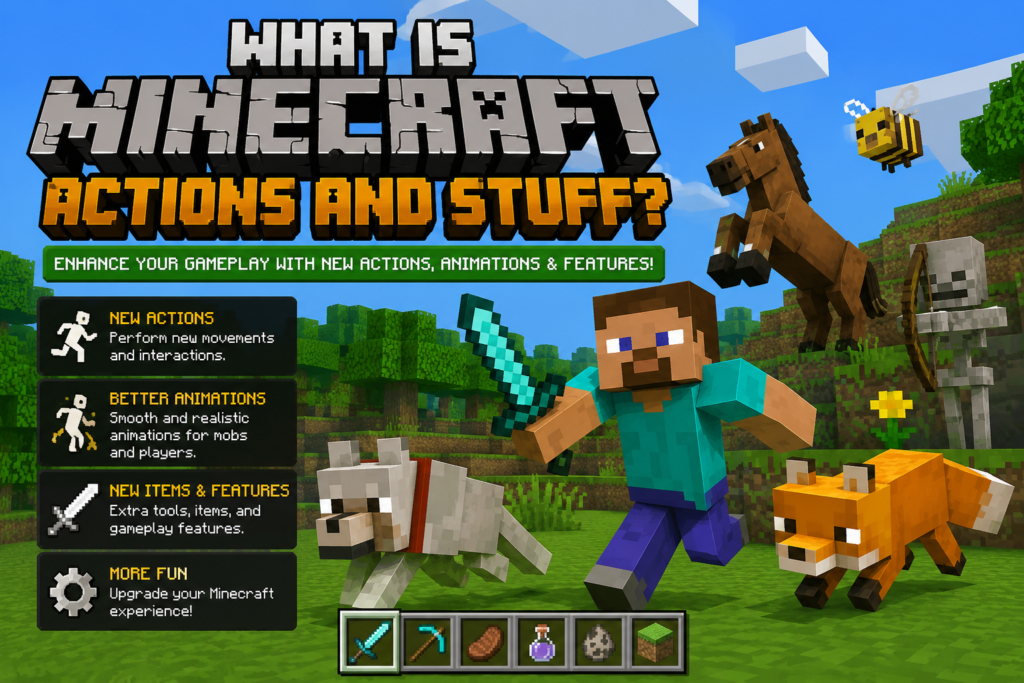
Actions and Stuff is a resource pack built exclusively for Minecraft Bedrock Edition by a Marketplace creator studio called Oreville Studios. It is not a mod, it is not a behavior pack, and it does not touch any of Minecraft’s underlying game logic. Instead, it works through Minecraft’s built-in resource pack system, which means it only changes what you see — animations, textures, particle effects, and 3D models — while leaving crafting recipes, mob behavior, redstone, and every other game mechanic completely untouched.
In simple terms: your world plays exactly the same way it always has. The only difference is that everything on screen looks and moves better.
The pack bundles together several categories of visual improvements in a single download:
- Player animations (walking, running, swimming, sneaking, and combat)
- Mob animations (idle behavior, movement, and reactions)
- 3D item and tool models
- Combat and mining particle effects
- Environmental effects like weather, foliage, and lighting
Because it is a resource pack rather than a mod, it works on every platform that supports Minecraft Bedrock Edition, including Android, iOS, Windows, Xbox, PlayStation, and Nintendo Switch.
Why Vanilla Bedrock Animations Feel Outdated
To understand why Actions and Stuff became so popular, it helps to understand the problem it solves.
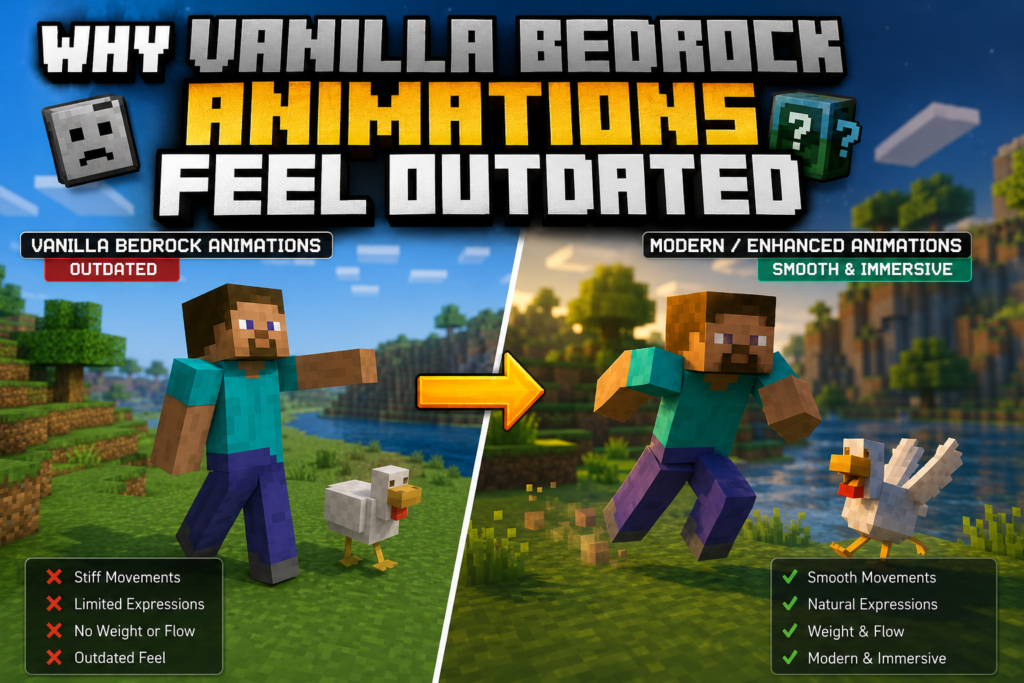
Minecraft Pocket Edition first launched back in 2011, and while Mojang has continuously added new mobs, biomes, and gameplay systems over the years, the core animation skeleton for Bedrock Edition has barely changed. Walking still looks more like sliding across the ground than actual stepping. Every weapon swings with the same repeated arc regardless of what it is. Animals stand frozen between actions instead of behaving like living creatures.
Java Edition players solved this problem years ago with community mods like Fresh Animations, which added smoother, more lifelike movement to that version of the game. Bedrock Edition, however, does not support the same kind of deep modding that Java allows, so Bedrock players were largely stuck with the same animation system for over a decade.
Actions and Stuff was built specifically to close that gap. Instead of a third-party mod that risks breaking with every update, it is a Marketplace-verified resource pack that Mojang’s own systems support natively, which is a big part of why it has been able to update quickly alongside new Bedrock releases.
What Actions and Stuff Actually Changes
Most texture packs only touch surface-level details like block colors or sharper textures. Actions and Stuff goes further by editing the animation data files themselves, rather than adding extra rendering work on top of the game. That distinction matters for performance — your device is not doing significantly more processing than it would with vanilla Minecraft; it is simply displaying different animation data for the same actions.
The result is that the change is immediately noticeable the moment you load a world. Your character breathes while standing still. Animals move through complete animation cycles instead of snapping between poses. Every tool swings differently depending on what it is. Weather and lighting respond to the environment in a way that many players compare to an official visual overhaul rather than a community add-on.
Player Movement and Animation
The most immediately obvious change is how your own character moves. Walking has actual weight and a slight bounce to it instead of the stiff sliding motion vanilla Bedrock is known for. Running adds a forward lean and pumping arm motion. Sneaking looks deliberate and lowered rather than just a slightly shorter model.
Swimming is reworked with proper arm strokes instead of the awkward flailing vanilla Bedrock uses, and jumping into water triggers different entry animations depending on how you land — a dive, a belly flop, or a cannonball, depending on your movement at the moment of impact.
Combat Animations
Combat animations get a substantial overhaul as well. Sword attacks cycle through multiple strike angles rather than repeating the same single swing, so fights feel more dynamic over time. Axes swing slower but with visibly more weight behind them, which matches their higher damage output. Bows show visible string tension building as you draw them back, and shields brace noticeably when you block an incoming hit.
None of this changes actual damage numbers or hit detection — it is a purely visual layer sitting on top of the same combat math that vanilla Minecraft already uses.
Tool and Mining Animations
Every tool type now has its own distinct animation instead of sharing a generic swinging motion. Pickaxes strike downward, axes chop in a sideways arc, shovels scoop, and hoes move with a rhythm that actually resembles tilling soil. Mining particle effects also scale based on the tool and block type being mined, adding a small but satisfying layer of visual feedback during long resource-gathering sessions.
Mob Behavior and Animation
This is widely considered the strongest part of the pack, and it is where most player feedback tends to focus. Cows lower their heads to graze and swish their tails. Chickens scatter and flap when a player gets close. Wolves wag their tails, stretch, yawn, and react with ear movement depending on what is happening around them. Cats loaf during idle moments and stretch when they wake up. Villagers blink and glance around instead of staring blankly forward.
Newer Minecraft mobs, including recently added creatures, generally receive matching animation support fairly quickly after each major game update, which is one of the reasons the pack has kept a loyal player base rather than becoming outdated the way many older texture packs do.
Environmental and Weather Effects
Beyond characters and mobs, the pack also touches the environment itself. Grass and foliage sway with variation depending on the biome you are in. Rain creates visible splash effects on flat surfaces instead of just falling as a flat overlay. Torches flicker with a more dynamic flame instead of a static loop. Small atmospheric touches like falling leaves, drifting particles near water, and footprints in snow biomes all add up to a world that feels noticeably more alive during normal exploration.
Actions and Stuff vs Vanilla Minecraft Bedrock
| Feature | Vanilla Bedrock | Actions and Stuff |
|---|---|---|
| Walking | Flat sliding motion | Weighted steps with natural bounce |
| Running | Simple speed increase | Forward lean with arm movement |
| Swimming | Stiff, repetitive flailing | Fluid, realistic arm strokes |
| Sword combat | One repeating swing | Multiple cycling strike angles |
| Bow draw | Static pull animation | Progressive tension as you draw |
| Mining | Same animation for every tool | Tool-specific swings with matching particles |
| Cow / animal idle | Frozen in place | Grazing, tail movement, ear flicks |
| Wolf idle | Static standing pose | Tail wagging, stretching, reacting to surroundings |
| Rain | Flat visual overlay | Splash effects on surfaces |
| Grass and foliage | Static texture | Swaying, biome-based variation |
| Torches | Static flame loop | Flickering, more dynamic light |
Resolution Options and Device Performance
One detail that sets Actions and Stuff apart from many animation-focused packs is that it ships with multiple resolution tiers, so the same animation set can run comfortably across a wide range of hardware — from older budget phones to high-end gaming PCs.
Lower resolution tier — designed for older or lower-spec Android devices, typically phones with 2GB of RAM or less. Every animation and particle effect is still fully present at this tier; only texture sharpness is reduced to keep performance smooth.
Mid resolution tier — aimed at the average modern smartphone, generally phones with 3–4GB of RAM released in the last few years. This is usually the recommended starting point for most players, offering a solid balance between visual detail and performance.
High resolution tier — built for flagship phones, gaming consoles, and Windows PCs with dedicated graphics hardware. This tier delivers the sharpest textures and pairs well with ray tracing or RTX-enabled Bedrock setups on PC, making it a common choice for content creators recording or streaming gameplay footage.
If you notice stuttering or frame drops after installing the pack, dropping down one resolution tier is usually the fastest fix. It is also worth lowering render distance slightly and disabling extra visual settings like fancy leaves if you are playing on an older device, since those settings affect performance independently of any resource pack.
Does Actions and Stuff Affect Achievements or Game Mechanics?
No. Because Actions and Stuff is strictly a resource pack rather than a behavior pack or mod, it cannot touch anything related to crafting recipes, mob artificial intelligence, world generation, or the systems that Xbox achievements, PlayStation trophies, and other platform rewards depend on. You can play a full Survival world with the pack active and unlock every achievement exactly as you would in vanilla Minecraft.
Does It Work on Realms and Multiplayer Servers?
Yes, with one important detail to understand: resource packs like this one are client-side, meaning the animations only display for players who actually have the pack installed and active. If you join a server or Realm with the pack turned on, you will see all the improved animations, but a friend playing the same world without it installed will still see standard vanilla visuals on their own screen. Everyone can play together without any compatibility problems either way.
For a Realm specifically, the world owner needs to add the resource pack through the Realm’s own settings menu rather than their personal in-game resource pack list, which then makes it available to everyone who joins that Realm.
Most major Bedrock-compatible servers work fine with third-party resource packs like this one, since the pack does not alter any game rules that a server would need to account for.
How to Get Actions and Stuff Safely
Because Actions and Stuff is a Minecraft Marketplace-verified pack, the safest and most reliable way to get it is directly through the in-game Minecraft Marketplace, searching for “Actions and Stuff” under Oreville Studios. Getting it this way means:
- The download is scanned and verified by Mojang’s own Marketplace review process
- Updates install automatically alongside your normal Minecraft updates
- There is no risk of installing a modified or outdated file bundled with something you did not intend to download
A word of caution: because this pack has become so popular, a number of third-party websites now offer “free APK downloads” that claim to bundle Minecraft itself together with the pack pre-installed. Downloading modified APK files for Minecraft from unofficial sites carries real risk — these files can be outdated, unstable, or in some cases modified to include unwanted software, and installing an unofficial copy of Minecraft can also put your account or device data at risk. If you already own Minecraft Bedrock Edition, the Marketplace is the only method that guarantees you are getting an authentic, safe copy of the pack.
Installing the Pack Once Downloaded
- Open Minecraft and go to Settings
- Select Global Resources
- Move Actions and Stuff from your Available Packs into Active Packs
- Choose the resolution tier that matches your device
- Load any world — the new animations apply immediately, no restart required
If the pack does not appear active after loading a world, make sure it is positioned at the top of your active pack list, since another pack sitting above it can override its animation files.
Common Troubleshooting Tips
Pack not appearing in Global Resources: Fully close Minecraft, reopen it, and check the Marketplace or Global Resources menu again. A simple restart resolves this in most cases.
Frame rate drops after activating the pack: Switch to a lower resolution tier through the pack’s settings gear icon. This alone resolves the vast majority of performance complaints.
Animations not showing despite the pack being active: Confirm it sits at position one in your active resource pack list — packs listed above it can silently override its files.
Works in single-player but not on a shared Realm: Remember that the Realm owner must enable the pack through Realm-specific settings, not their own personal device settings.
Is There a Java Edition Version?
No. Actions and Stuff was built specifically for Bedrock Edition’s resource pack format and does not have an official Java Edition release. Java players looking for a similar experience typically use community animation mods built for that platform instead, since Java’s modding tools work very differently from Bedrock’s resource pack system.
Pros and Cons
Pros
- Covers player movement, combat, mobs, tools, and environment in one download
- Multiple resolution tiers make it usable on both budget phones and high-end PCs
- Achievements and platform trophies remain fully functional
- Works across Realms and most multiplayer servers without special setup
- Officially available and verified through the Minecraft Marketplace
- Regularly updated to stay compatible with new Bedrock releases
Cons
- Not compatible with certain other visual overhaul packs due to overlapping animation files
- No official Java Edition equivalent
- Higher resolution tiers need a reasonably modern device for smooth performance
- Every player in a shared world needs the pack installed individually to see the visuals
- Some advanced facial or expression animations may not display identically on console platforms
Frequently Asked Questions
Does Actions and Stuff change how combat damage works? No. All animations are purely visual. Damage values, attack cooldowns, and hit detection remain identical to vanilla Minecraft.
Will it lag my phone? Performance depends heavily on choosing the correct resolution tier for your device. Older or lower-RAM phones should start on the lowest tier and move up only if performance stays stable.
Can I use it together with other texture packs? You can layer it with texture packs that do not modify animation files, but stacking it with other animation-focused packs often causes conflicts, since both packs are trying to control the same animation data.
Do I need to reinstall it after a Minecraft update? Generally no, as long as you download updates through the Marketplace, which keeps the pack synced with your game version automatically.
Is it available on console? Yes, it supports Xbox, PlayStation, and Nintendo Switch through the standard Minecraft Marketplace, alongside Android, iOS, and Windows.
Does turning it off return my world to normal? Yes. Deactivating the pack through Global Resources instantly reverts your game to standard vanilla animations with no lasting changes to your world or save data.
How It Compares to Other Bedrock Animation Packs
Actions and Stuff is not the only animation pack available for Bedrock Edition, but it stands out for a few specific reasons. Many smaller animation packs focus on a single category, such as only reworking player movement or only updating a handful of mobs. Actions and Stuff instead treats the entire game as one connected visual system, covering the player character, every common mob, tool animations, and environmental details together, so nothing feels mismatched when you switch between different parts of gameplay.
Another difference is long-term support. Independent packs built outside the Marketplace often break or fall out of date when Minecraft ships a major update, since they rely on the creator manually patching files after every release. Because Actions and Stuff is distributed through the Marketplace and maintained by a dedicated studio, it tends to receive compatibility updates much faster, which matters a lot if you play on the latest Bedrock version regularly.
That said, some smaller, more specialized packs can offer a more minimal or stylized look if you specifically want a subtle change rather than a full animation overhaul. If your priority is a light visual refresh rather than a complete movement and combat rework, it is worth comparing a few options before committing, since Actions and Stuff is built around being a comprehensive, all-in-one experience rather than a small tweak.
Community Reception and Why It Caught On
A big part of why Actions and Stuff spread so quickly across the Bedrock community comes down to how noticeable the change is without requiring any learning curve. Unlike gameplay mods that require players to understand new mechanics, this pack is entirely passive — you install it once, and every session afterward simply looks better without any extra effort.
Content creators were early adopters for a practical reason: recorded Bedrock footage tends to look noticeably more polished with smoother character and mob movement, without needing extra video editing work to compensate for stiff vanilla animations. That made it a common addition to recording and streaming setups well before it became widely known among casual players.
Feedback from the wider player base tends to center on a few recurring points. Mob behavior is frequently mentioned as the strongest part of the pack, since small details like animals reacting to the player or idle movement during quiet moments make exploration feel less static. Performance is another common talking point, particularly because the tiered resolution system means players on older hardware are not simply locked out of using it, which is not always true for other visually heavy packs.
Because the developer studio also maintains public channels for player feedback, several features that shipped in later updates, including expanded mob support and additional environmental effects, were driven directly by requests from the existing player base rather than being decided in isolation. That kind of visible responsiveness tends to build long-term trust within a gaming community, which helps explain why the pack has maintained strong engagement rather than fading after an initial wave of downloads.
Tips for Getting the Most Out of the Pack
A few small adjustments can noticeably improve your experience once the pack is installed:
- Match your resolution tier to your device honestly. It is tempting to pick the highest tier for the sharpest visuals, but a mismatched tier is the most common cause of stuttering, especially during combat or bad weather.
- Keep the pack updated. Because animation data is tied closely to how mobs and tools behave visually, running an outdated version alongside a newer Minecraft build can occasionally cause animations to look slightly out of sync.
- Check pack order if something looks off. If you use any other resource packs alongside it, keep Actions and Stuff near the top of your active list so its animation files are not silently overridden.
- Lower unrelated video settings on older devices. Options like extended render distance or fancy graphics settings affect performance independently of any resource pack, so trimming those first often solves lag before you need to lower the pack’s own resolution tier.
Final Thoughts
Actions and Stuff has become one of the most recommended Bedrock resource packs largely because it solves a problem players had quietly lived with for over a decade — animations that never really evolved alongside the rest of the game. By focusing purely on movement, combat, mob behavior, and environmental detail without touching a single game mechanic, it manages to make familiar worlds feel new again without any risk to progress, achievements, or multiplayer compatibility.
If you already own Minecraft Bedrock Edition, the safest way to try it is through the official Marketplace listing, where you can pick the resolution tier that matches your device and get the full animation set running in under a couple of minutes.